

How to Work TS Team Member in Elementor?
Elementor is one of the most popular WordPress page builders in the world. In this article, we will explain how to use the TS Team Member plugin in Elementor.
- Firstly, install and activate the Elementor plugin. From your WordPress dashboard, go to Pages > Add New.

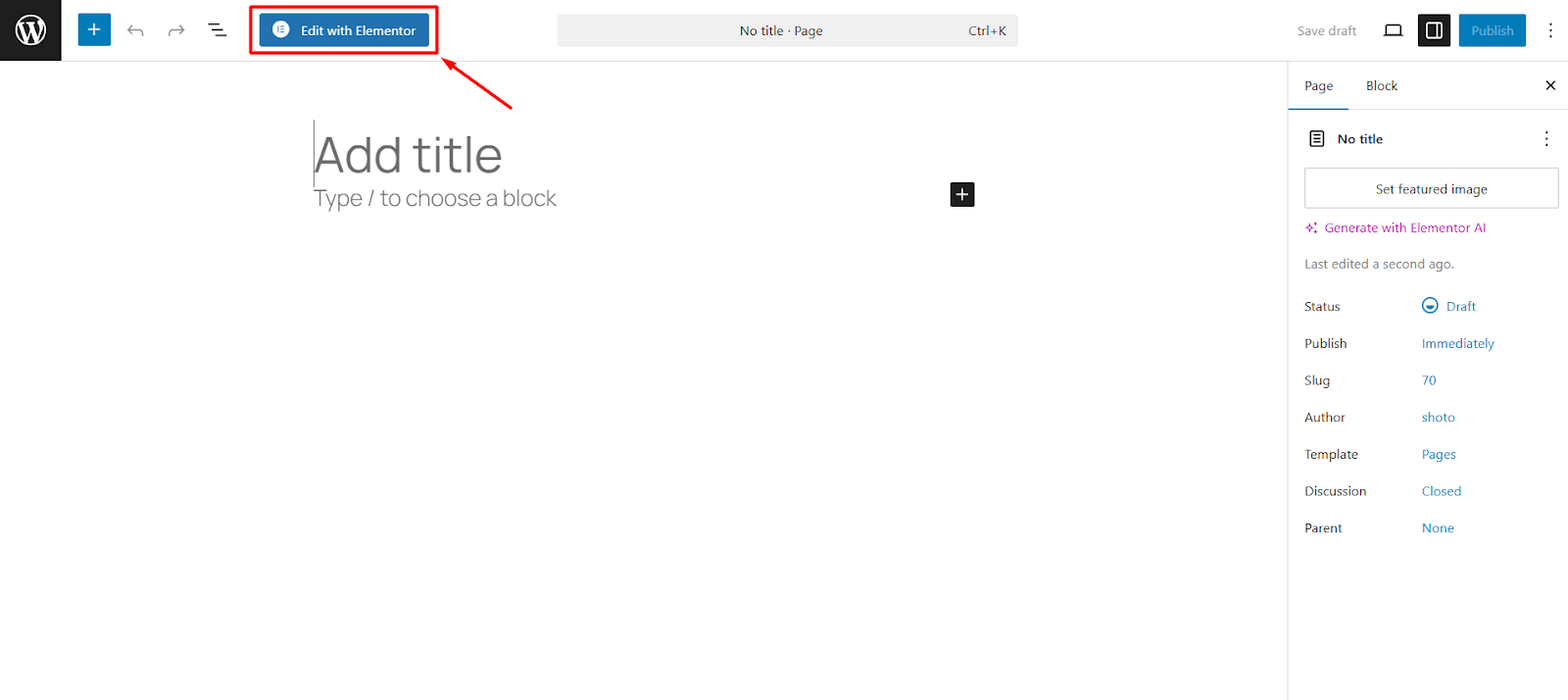
- Click on Edit with Elementor button from the header toolbar.
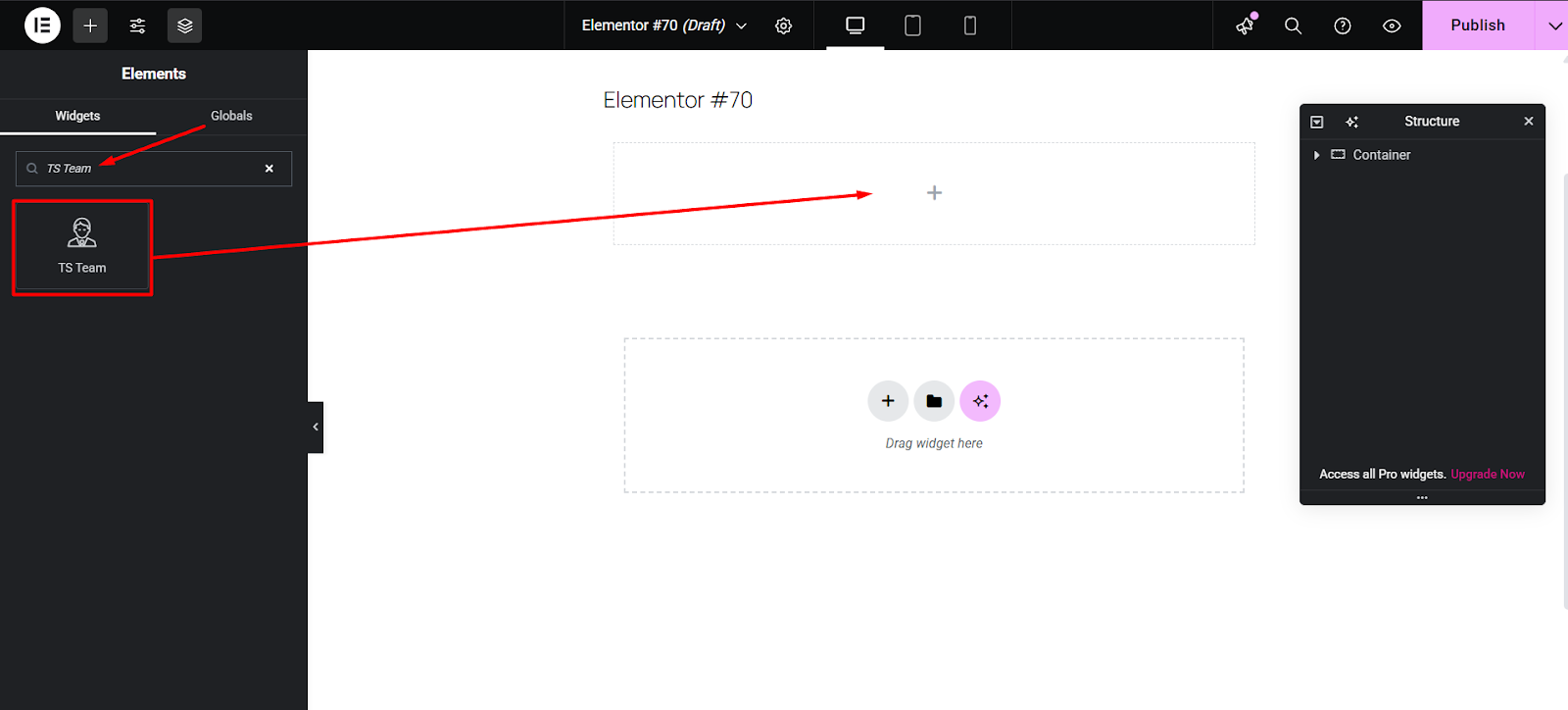
- Look to the left sidebar. In the Basic widgets section, you should see a widget labeled TS Team. Drag the TS Team widget into the widget area on the right side of the screen.
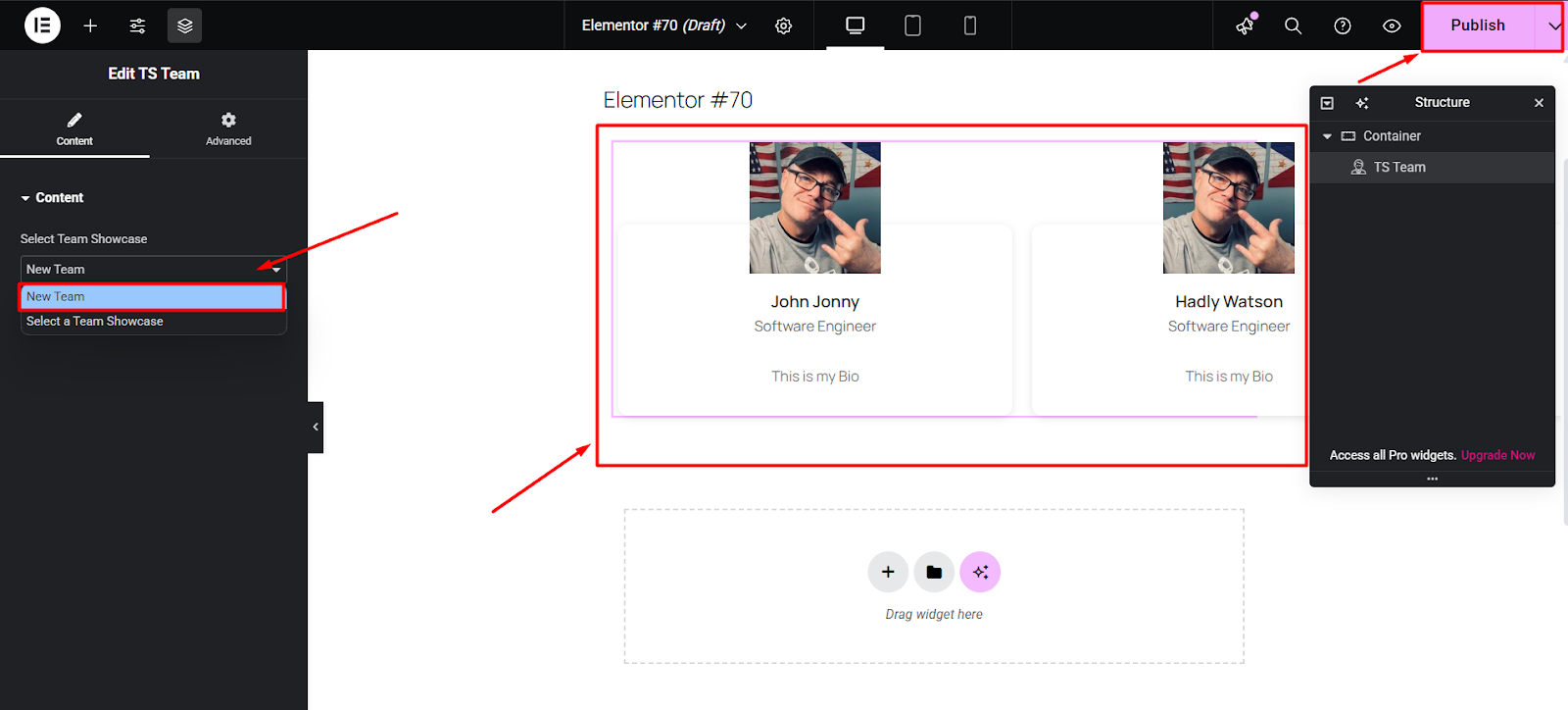
- Now, choose the Team Showcase you already created. You will get a preview of it in the editor and publish the page.
.