How to Work TS Team Block on the Gutenberg Editor?
Gutenberg blocks are the editor blocks used to create content layouts in the new WordPress Block Editor, also known as Gutenberg. This article will explain how to use the TS Team Showcase block on Gutenberg Editor.
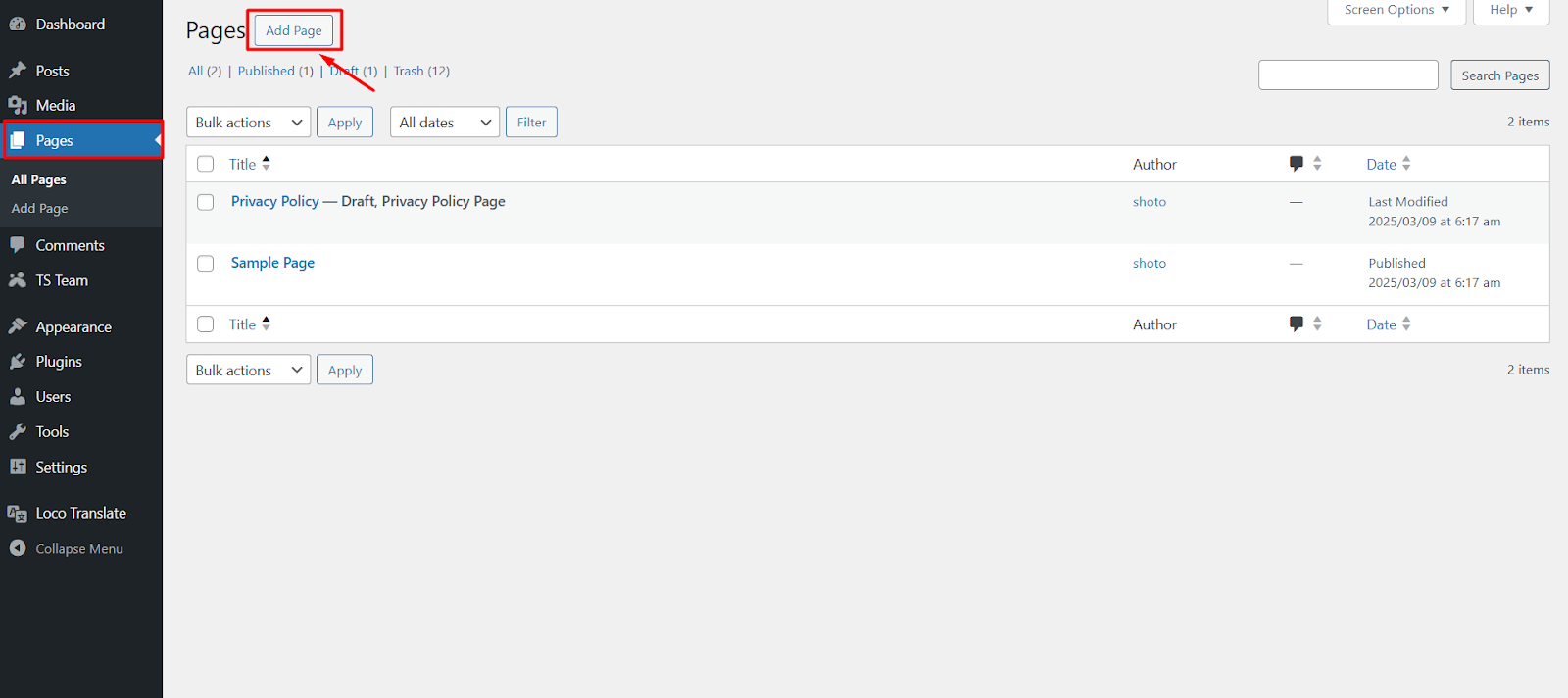
- From your WordPress dashboard, go to Pages > Add Page.
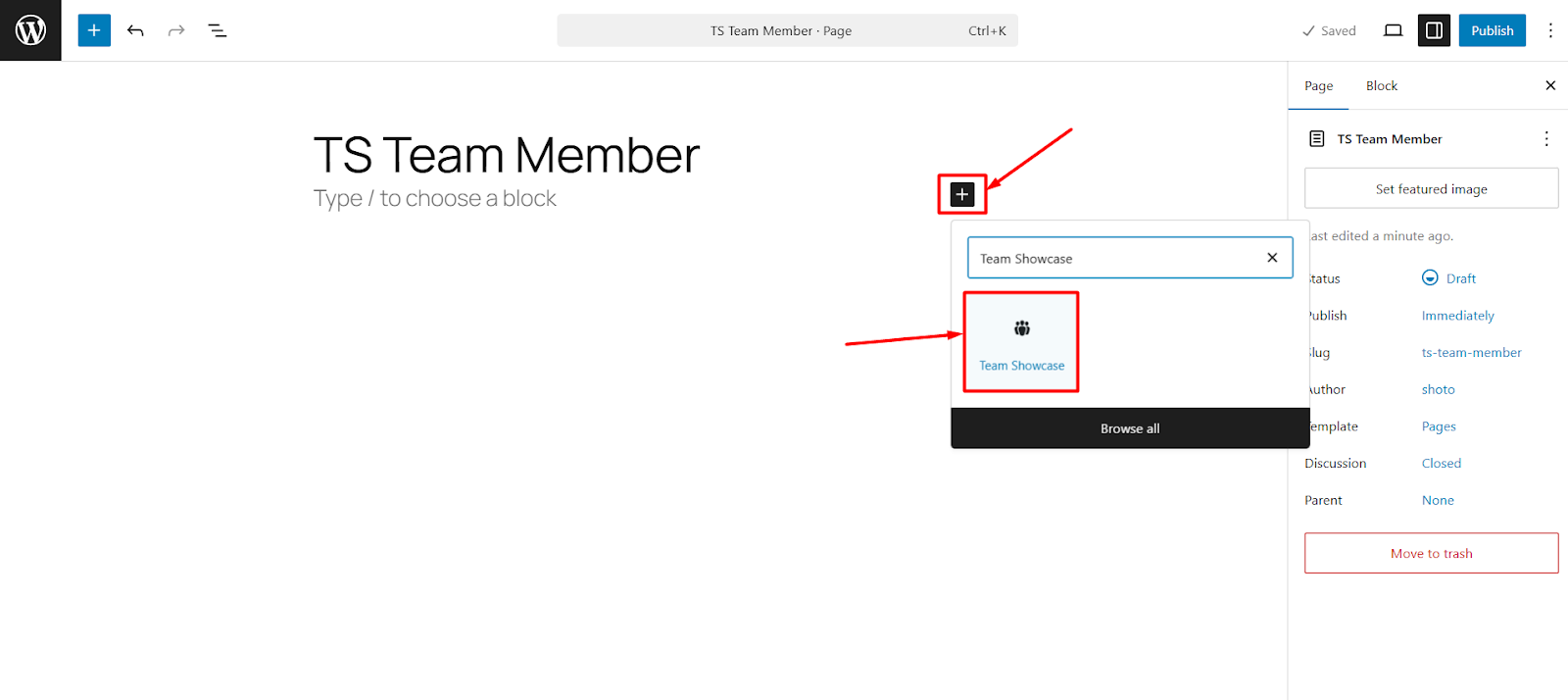
- Click the plus sign at the top left corner to add a new block.
- To add TS Team Showcase block, search “Team Showcase” or scroll down to the Block Inserter section.
- Once you click the Team Showcase block, it will be added to the editor.
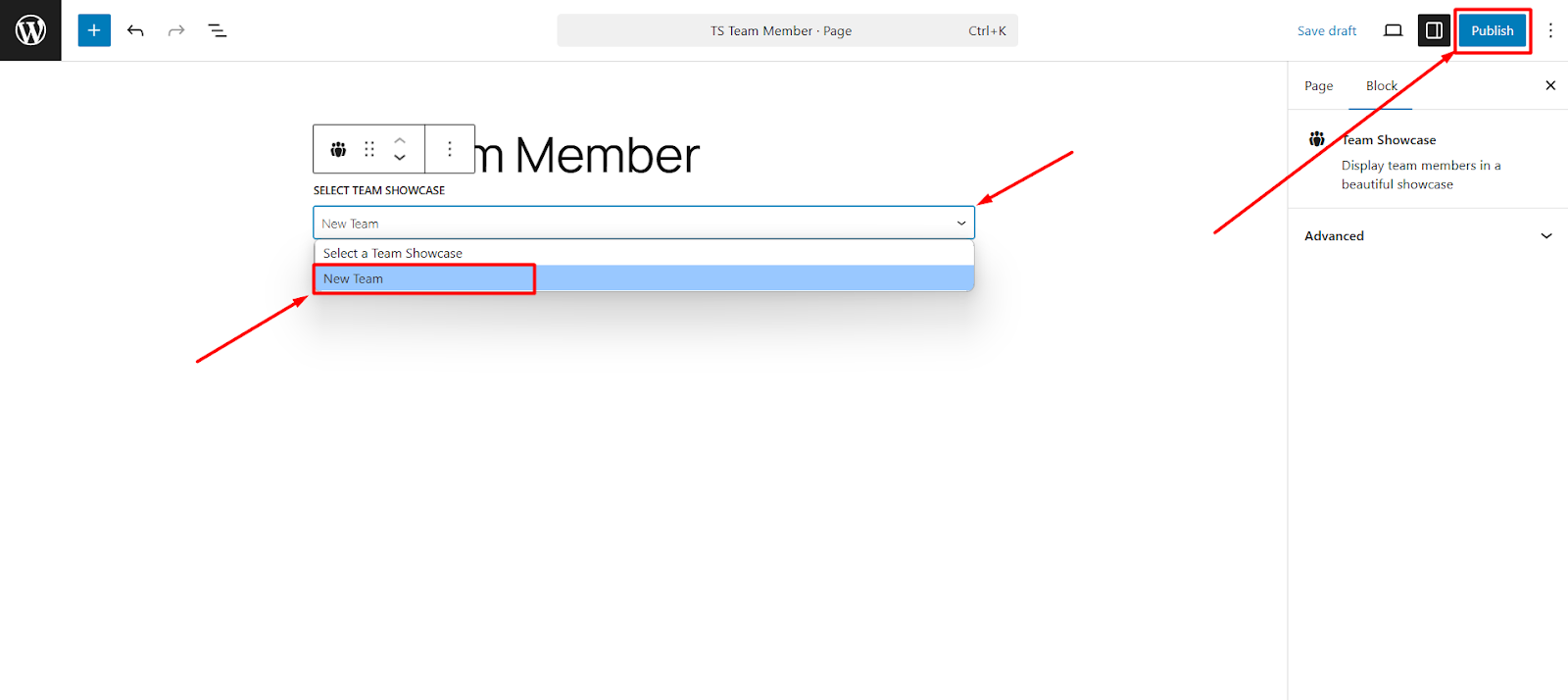
- Now select your Team Showcase from the drop-down and publish & preview the Team Showcase.