

The Design Copy-Paste feature allows you to quickly import pre-designed layouts from our demo site and apply them to your team showcase with just a few clicks. This saves time and ensures a professional design without starting from scratch.
Step 1: Ensure You Have the TS Team Pro Version
This feature is available in Pro version of the TS Team Members plugin. Make sure you have the latest pro version installed for the best experience.
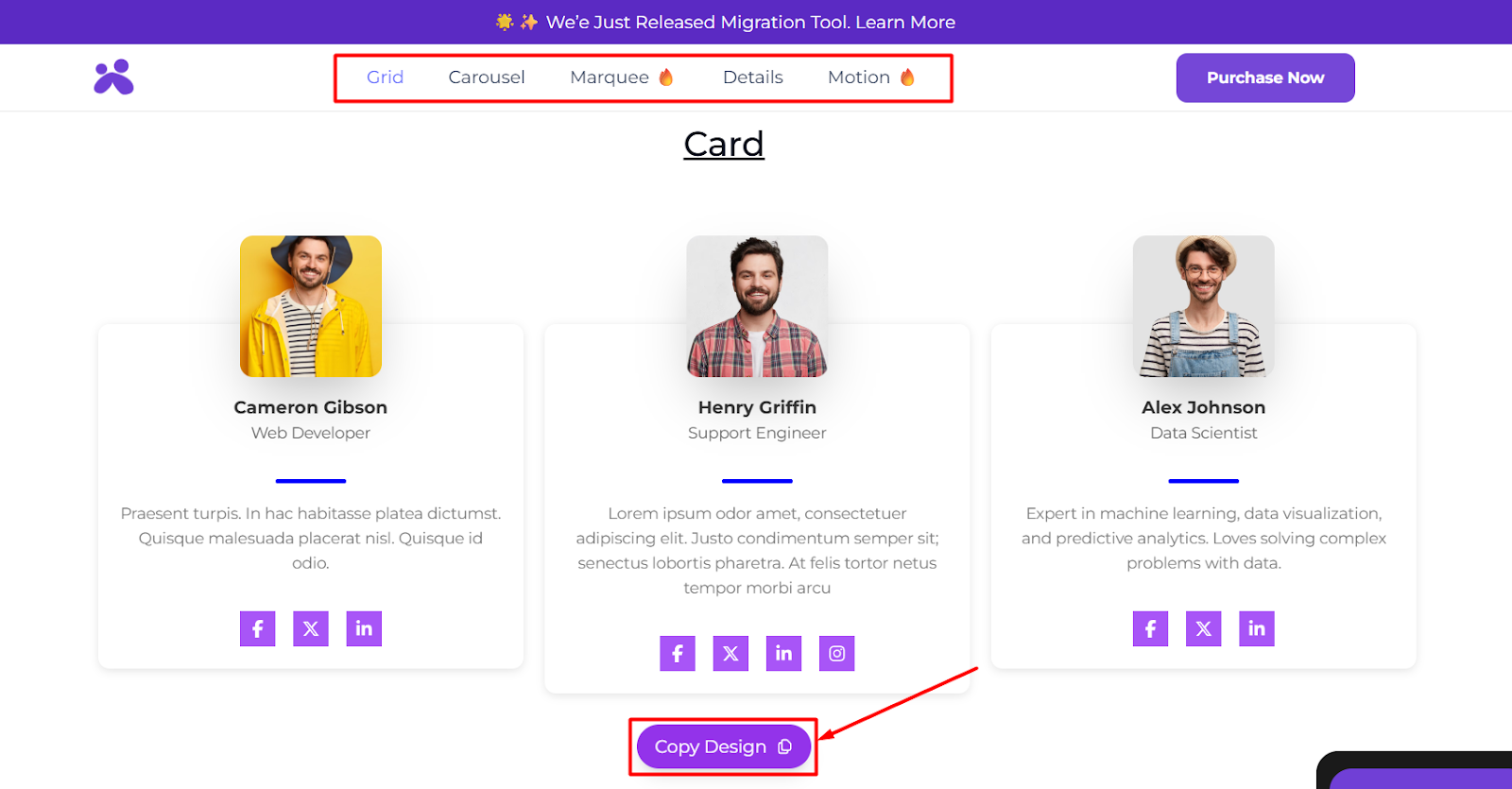
Step 2: Copy a Layout Design from the Demo Site
- Visit our demo site from this link.
- Browse through the available layouts view and select the one you like from top bar.
- Click the “Copy Design” button
Step 3: Paste the Design in Your Team Showcase Editor
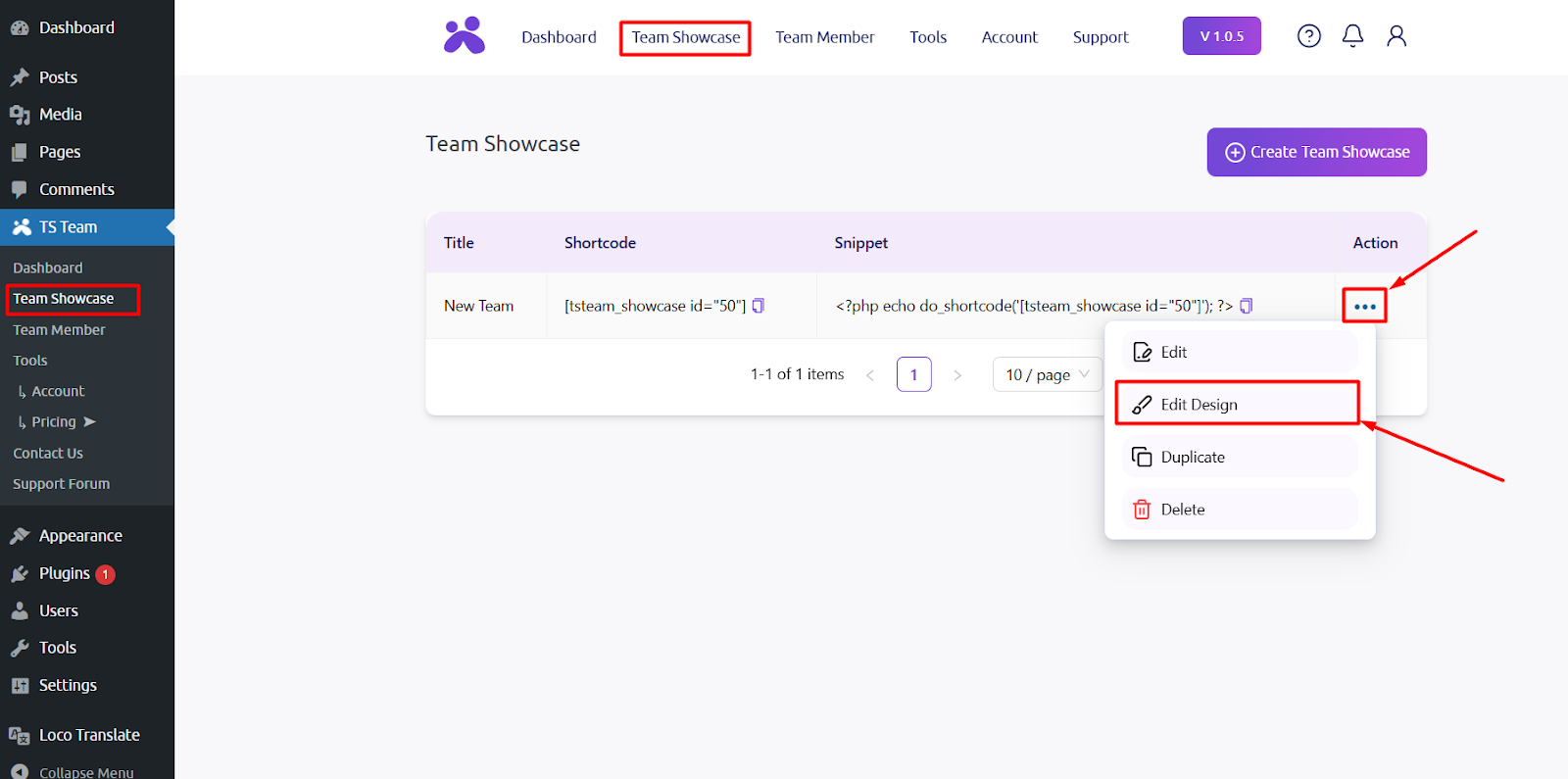
- Back to your WordPress Dashboard. Navigate to TS Team > Team Showcase.
- Open the Edit Design section of your desired team showcase.
- Locate the “Paste Design” option from the top bar and paste the copied design. Lastly Publish the design.
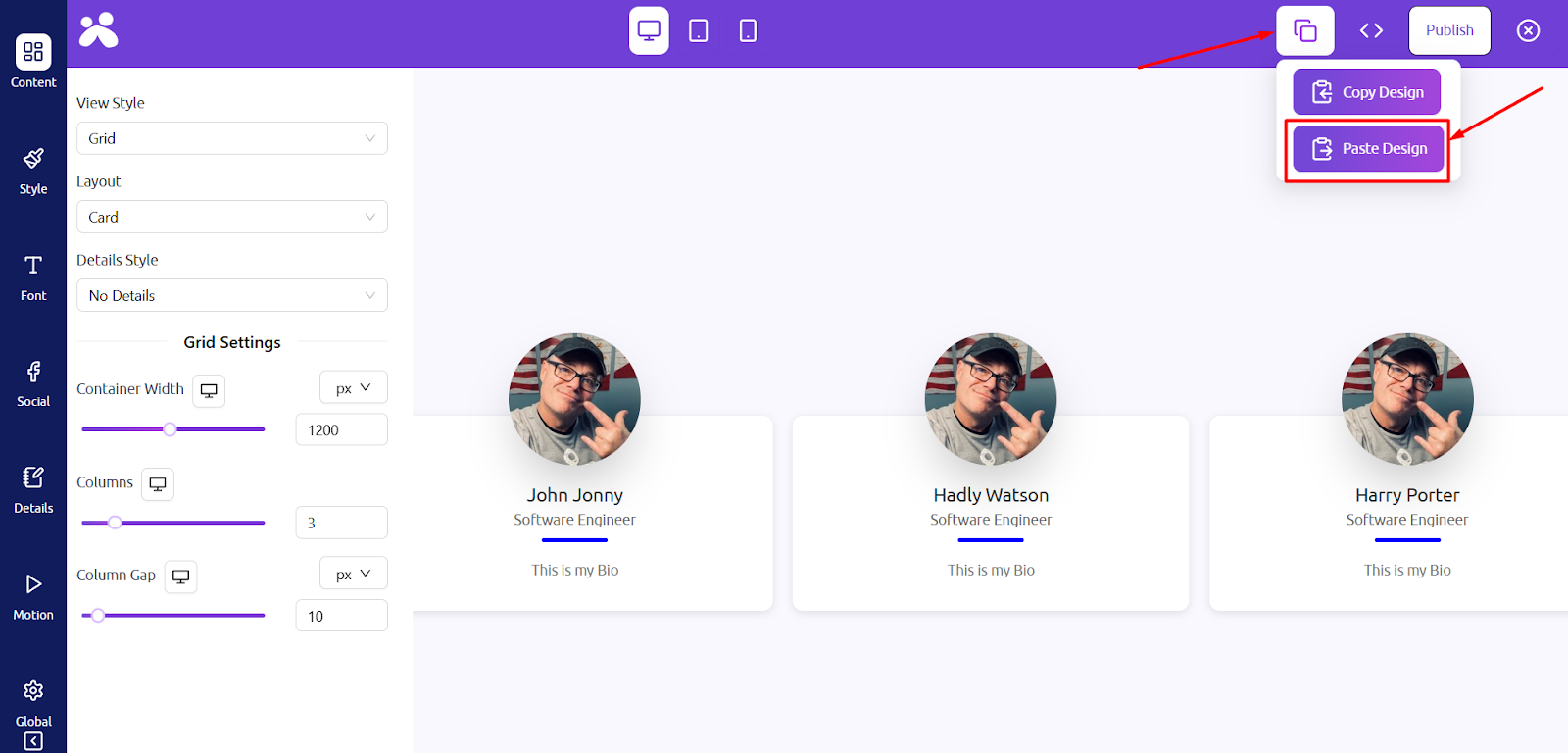
Now, your team showcase will have the same professional look as the demo view with one click!