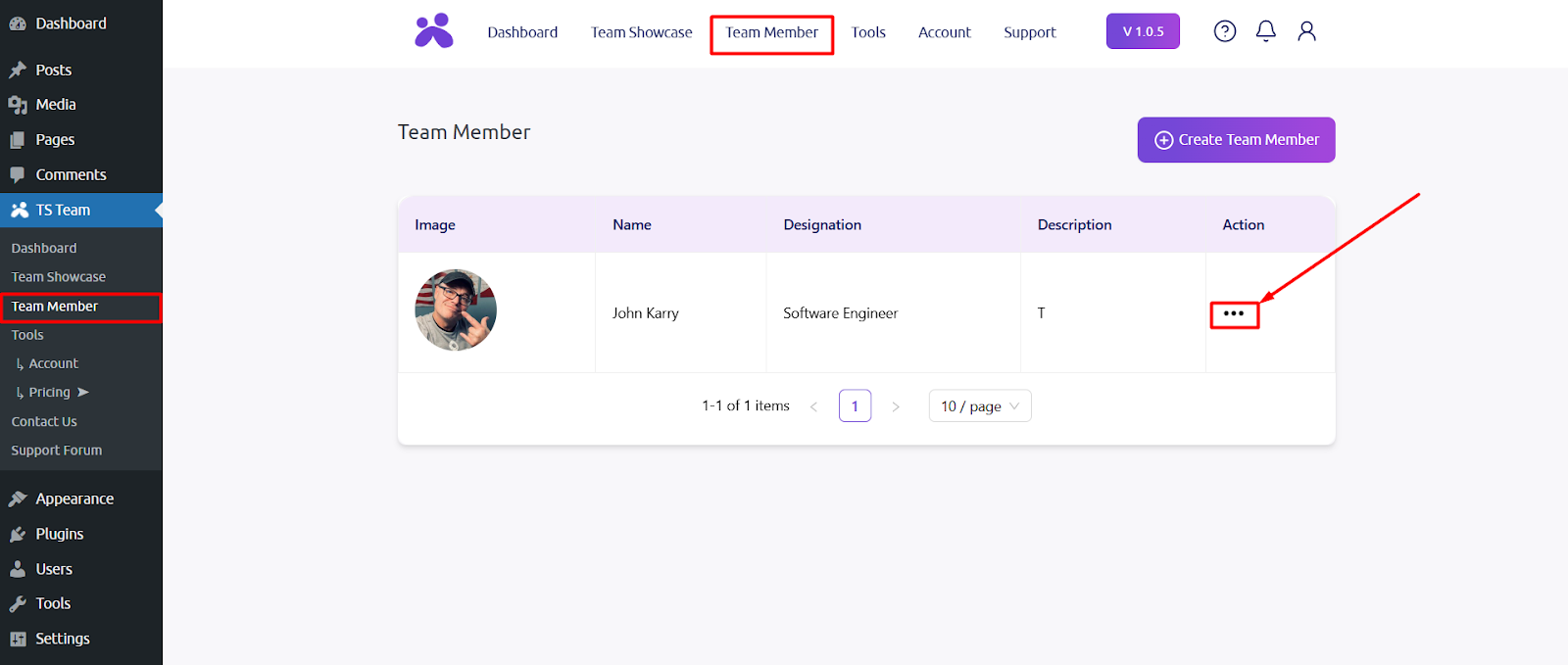
After activating the Free and Pro version TS Team plugin, go to the Team Member section and click on Action button.
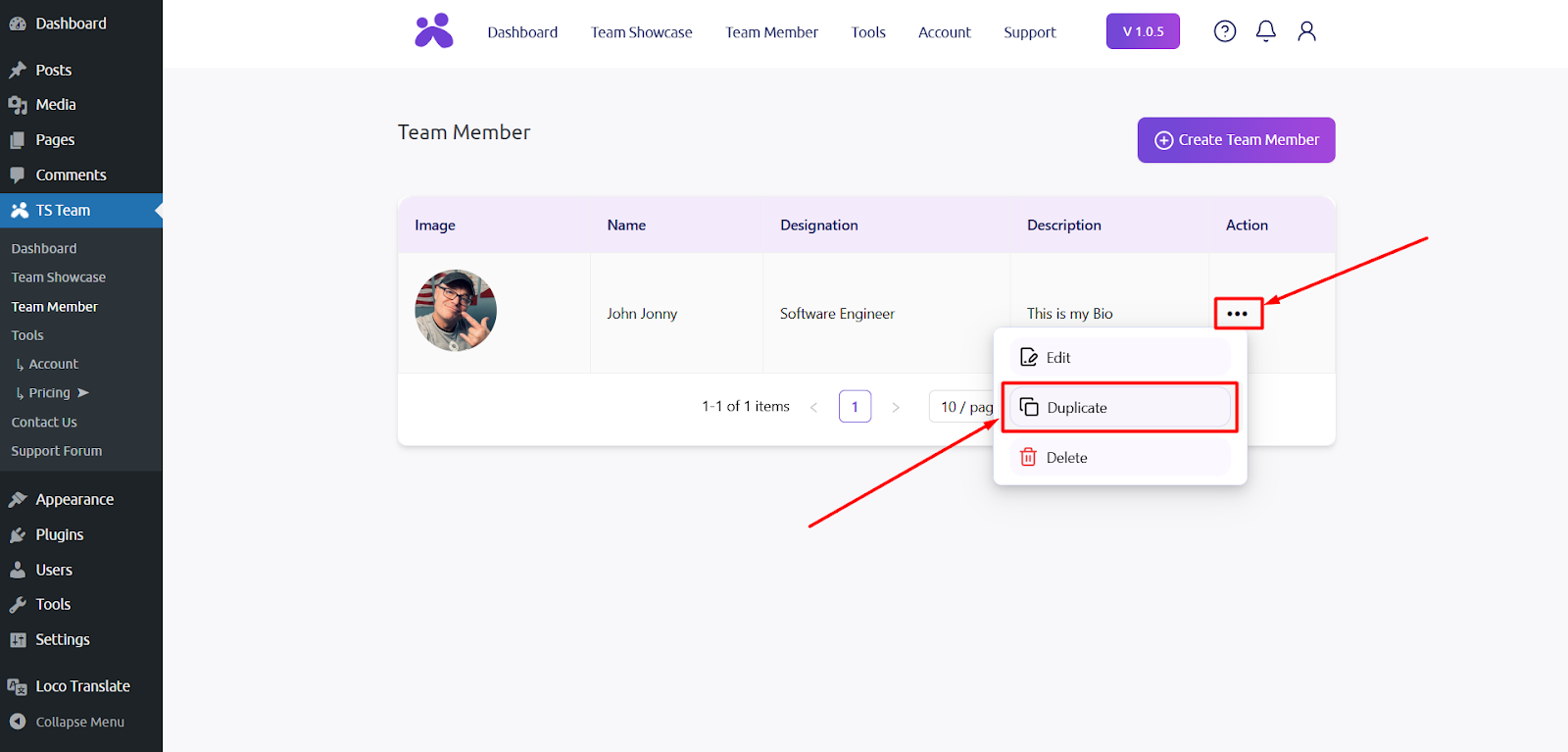
After clicking the button, the Duplicate option will be available and simply select the option.
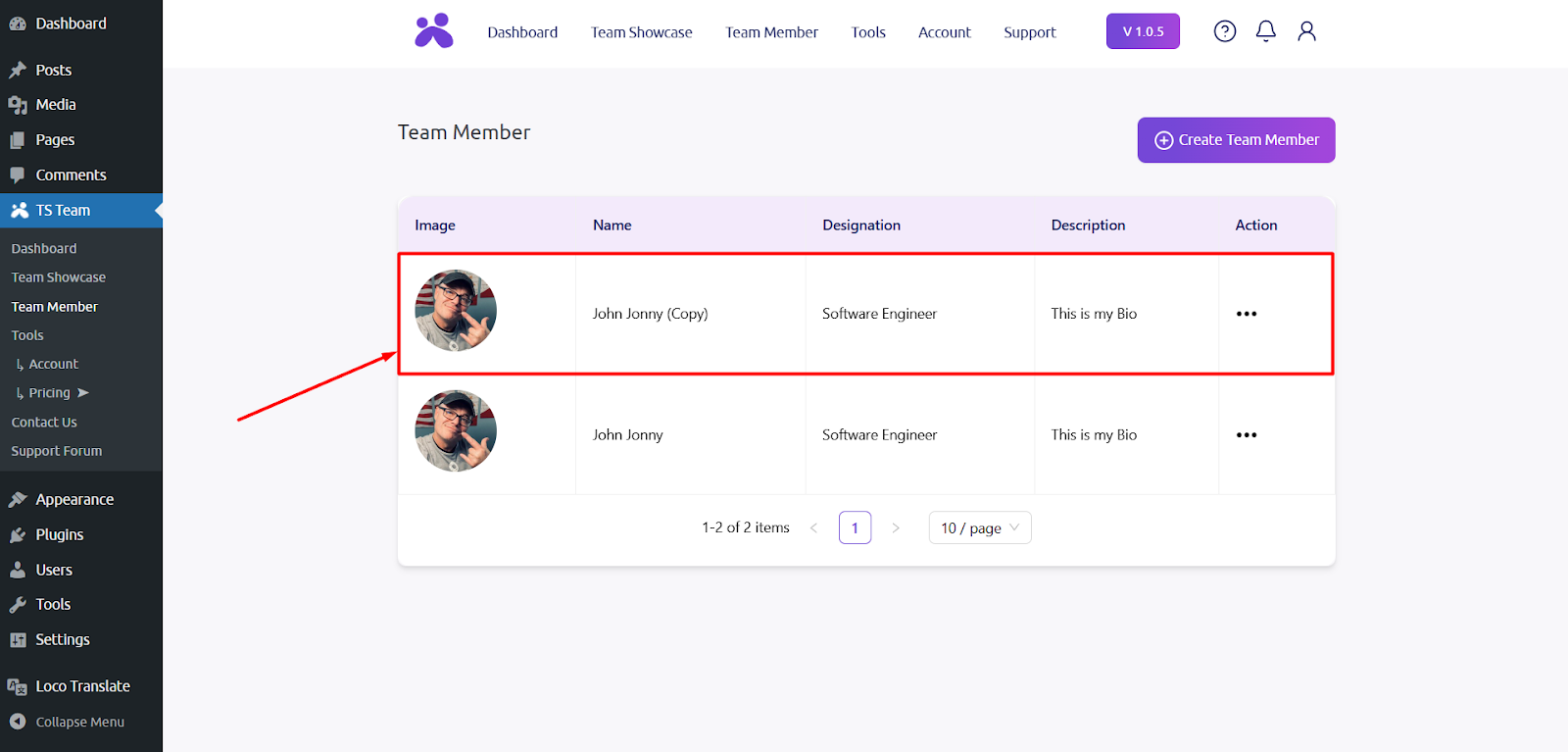
Finally, you will find your Team Member data duplicated with one click.